What Tools Evaluate Predictive Models?
Tools that evaluate predictive models fall into four kinds: metric libraries, test-and-monitoring suites, managed platform dashboards and certifying platforms.
In this article
- Why the choice of tool matters less than the test it runs
- Kind 1: Metric libraries
- Kind 2: Test and monitoring suites
- Kind 3: Managed platform dashboards
- Kind 4: Platforms that certify how the score was earned
- A short checklist for any evaluation
- Where YourCloudGroup Model Manager fits
- Limitations
- The short version
Tools that evaluate predictive models fall into four kinds: metric libraries that compute scores, test and monitoring suites that check data and model behaviour, managed platform dashboards that report metrics for models built in a cloud service, and platforms that also certify how the score was earned. No single kind answers every question, so choose by the question you need answered: "how often is it right?", "is the test fair?", "is it still working?" or "can someone else verify this?"
Why the choice of tool matters less than the test it runs
Every evaluation tool does the same basic thing: it compares a model's predictions with known outcomes and summarises the gap. The tool can compute that summary correctly and the result can still mislead, because the summary is only as honest as the rows it was computed on. A score measured on the data a model was trained on overstates how it will do on new cases, which is why models are judged on held-out data set aside before training.
So before comparing tools, settle the test: which rows were held back, whether they were ever used to choose or tune the model, and whether any column in the data would be missing at the moment a real prediction is needed. Those decisions sit outside most metric tools.
Kind 1: Metric libraries
A metric library takes two lists, predictions and actual outcomes, and returns numbers. The scikit-learn documentation on model evaluation is a standard reference for what these numbers are and how they are calculated.
| Task | Typical metrics |
|---|---|
| Classification (predict a category) | accuracy, precision, recall, F1, confusion matrix, ROC AUC |
| Regression (predict a number) | R-squared, mean absolute error, root mean squared error |
Good for: quick, flexible scoring when someone who can write code has already prepared a sound split.
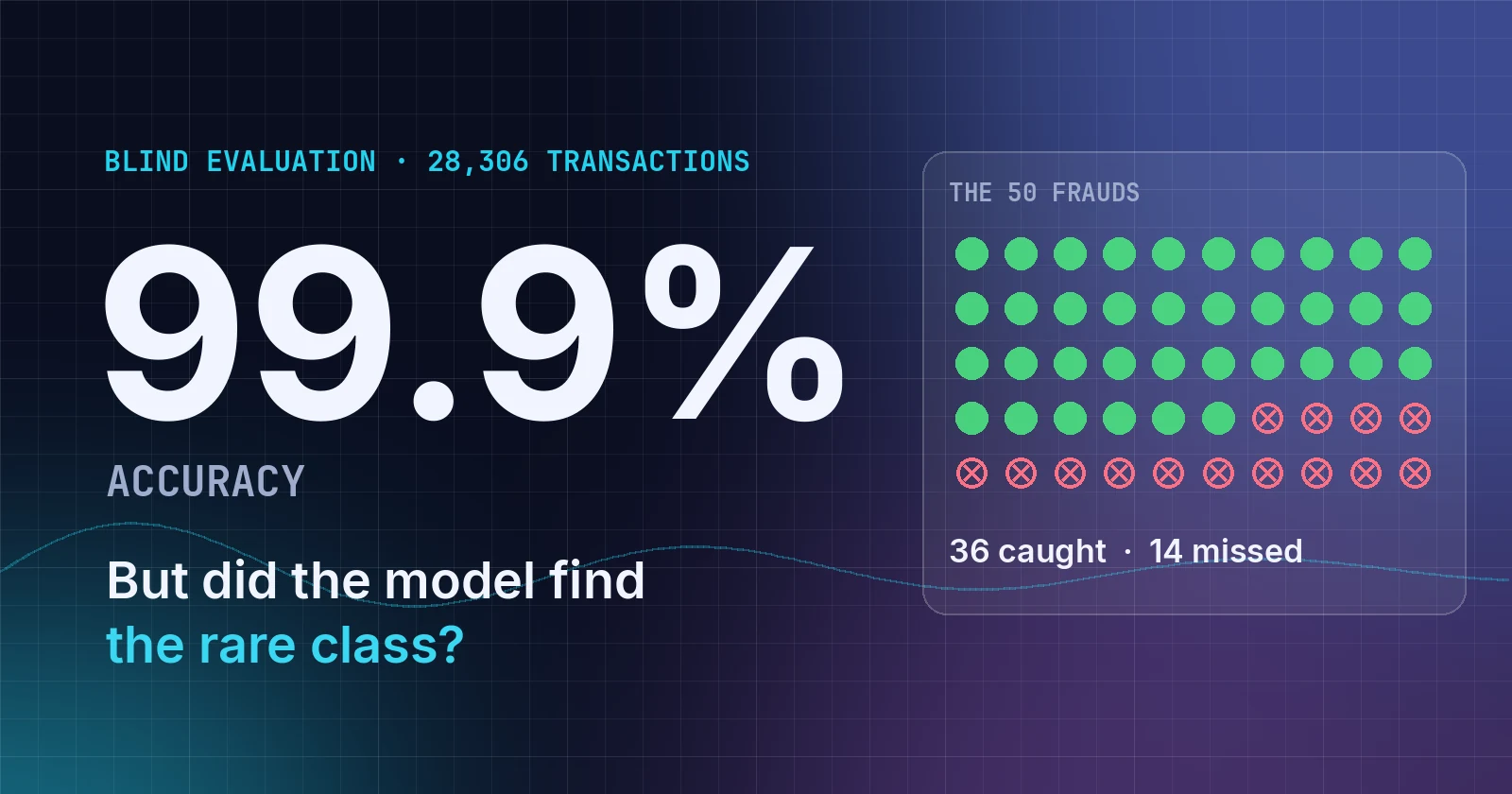
Does not do: decide which rows to hold back, notice leaked columns, or tell you whether the metric suits your problem. Accuracy alone is a common trap: when one outcome is rare, a model that always predicts the common outcome scores high while finding nothing. Balanced accuracy and macro F1 guard against that.
Kind 2: Test and monitoring suites
These tools run batteries of checks on data and models: missing values, duplicates, drift between training and live data, performance by segment. Our sourced comparison of software that audits machine-learning models covers ten of them from their own documentation.
Good for: catching problems that a single score hides, and watching a model after launch.
Does not do: guarantee the original split was clean. If a leaked column is present in both training and evaluation rows, a suite that only compares the two sets will not necessarily flag it. See what target leakage is for a measured example.
Kind 3: Managed platform dashboards
Cloud machine-learning services typically show evaluation metrics next to the models they build. This is convenient because the data, model and score live in one place.
Good for: teams already committed to that service.
Check before relying on it: whether the evaluation set was frozen before model selection, and whether you can export evidence of how it was produced. Our platform comparison for AI agents lists what each documents.
Kind 4: Platforms that certify how the score was earned
A fourth kind builds the model and records the evidence for the score in the same pipeline, so the evaluation can be inspected later by someone who did not run it. The questions to ask are the ones in our checklist for judging any platform: was the data frozen, was the evaluation sealed, were columns screened for leakage, does the model give the same answer twice, is value graded separately from process, and does the platform say "not assessed" when the data cannot support a claim.
A short checklist for any evaluation
- Was the test set held back before training? If not, the score is optimistic.
- Was it ever used to pick or tune the model? If so, it no longer measures new cases.
- Does the metric suit the outcome? Use balanced measures when one outcome is rare.
- Is there a baseline? A score means little without what a trivial guess, such as always predicting the most common outcome, would achieve.
- Could every column be known at prediction time? A column filled in after the outcome inflates results.
- Does the test contain every outcome you care about? Without examples of a rare class, class-sensitive metrics cannot be trusted.
- Can someone else reproduce the number? Keep the split, the settings and the results.
Where YourCloudGroup Model Manager fits
YourCloudGroup Model Manager is a browser-based platform that builds, evaluates, certifies and schedules classification and regression models from a customer's own structured data, such as a CSV file. It belongs to the fourth kind. It freezes a training and blind split, screens columns for information that would not exist at prediction time, trains twelve candidate models, and scores each on blind rows it never saw. It chooses the winner on balanced accuracy and macro F1 rather than raw accuracy. For regression it reports R-squared, mean absolute error and root mean squared error; for classification, confusion matrices, balanced accuracy, macro F1 and per-class recall.
Two details relate directly to the checklist. First, the blind set is checked for evaluation adequacy: if a declared outcome class is missing, balanced accuracy, macro F1 and per-class recall read NOT MEASURABLE rather than showing a misleading figure. Second, value is graded against an explicit baseline with a 90% bootstrap confidence range, separately from whether the process was sound. Each model also receives a certificate of fourteen independent claims. Details are on the Model Manager page, and agents can run the same steps through the API described on the page for AI agents.
Limitations
- No tool replaces judgement. Even a thorough report cannot tell you whether a given level of accuracy is good enough for your decision.
- Evaluation describes the past. Certification and held-out scoring show how a score was earned on a stated test set; they do not promise the same performance if customers, markets or data change.
- Model Manager is for structured, tabular data only. It is not built for images, audio or free text, and it does not generate text.
- Its certification is YourCloudGroup's own evidence-based methodology. It is not a third-party audit or a regulatory compliance report.
- This article does not rank tools. The four kinds overlap, and many teams use more than one, for example a metric library for exploration and a monitoring suite after launch.
The short version
Compute the score with whatever tool you like, but spend your effort on the test: hold rows back, never tune on them, screen columns for leaks, compare against a baseline, and keep the record. A tool that makes those steps automatic and inspectable saves more trouble than one that merely reports more metrics.
Build predictive models from your own data
YourCloudGroup Model Manager builds, evaluates, certifies and schedules predictive models from your CSV or spreadsheet data — point and click, on your own dedicated server.
Learn about Model Manager →Published by YourCloudGroup. Read our editorial standards and corrections policy.